





How Long Do Security Cameras Keep Footage?
2024-03-26
In an era where security is paramount, the presence of surveillance cameras has become ubiquitous, offering peace of mind and protection for homes, businesses, and public spaces alike. However, a common query that arises among users is, "How long do security cameras retain footage?" Understanding the duration of footage retention is crucial for effective security management and compliance with legal regulations. In this article, we delve into the factors influencing footage retention periods and provide insights into optimizing your surveillance system for maximum effectiveness.
How Long Do Security Cameras Keep Footage?
Providing a single definitive answer to this query is challenging, as the retention duration varies depending on the specific camera and security system in use. Generally, though, most security camera footage is preserved for a span ranging from 30 to 90 days.
Nevertheless, certain industries are bound by distinct regulations. For instance, financial institutions such as banks might be mandated to retain footage for a period of six months or longer, whereas casinos could be compelled to uphold footage for up to a year.
The duration that security cameras retain footage varies and hinges upon several factors, including the system type, storage capacity, recording configurations, and user specifications. Here's a breakdown:
Nevertheless, certain industries are bound by distinct regulations. For instance, financial institutions such as banks might be mandated to retain footage for a period of six months or longer, whereas casinos could be compelled to uphold footage for up to a year.
The duration that security cameras retain footage varies and hinges upon several factors, including the system type, storage capacity, recording configurations, and user specifications. Here's a breakdown:
- DVR/NVR Systems: Both traditional analog or digital video recorder (DVR) systems and network video recorder (NVR) systems typically preserve footage for a designated number of days. Common retention periods span from a few days to several weeks, with 7 to 30 days being customary. Some high-capacity systems boast storage capabilities extending footage retention to months.
- Cloud-Based Systems: Cloud-based security camera systems offer diverse subscription plans with varying storage allocations. Basic plans often retain footage for a limited period, such as 7 days, while premium plans may extend this to several weeks or months.
- Motion-Activated Recording: Many systems employ motion-activated recording to economize storage space. In such instances, the duration footage is retained hinges on the frequency of motion events. If activity is minimal, footage may be retained for a more extended period.
- Continuous Recording: Systems that record continuously, irrespective of motion, typically have shorter retention periods due to the rapid accumulation of data. To maintain footage for extended periods, users may require larger storage capacities.
- Manual Deletion or Overwriting: When the storage limit is reached, certain systems may commence overwriting the oldest footage with new recordings. Alternatively, some systems may halt recording until space is manually cleared.
- Legal and Regulatory Requirements: Local laws and regulations may dictate specific retention periods for surveillance footage. Depending on the jurisdiction and the type of establishment, retention periods can vary from a few days to several months.
The specific duration for which security cameras retain footage is often a customizable setting that varies across systems. Users can typically adjust these settings according to their storage requirements and preferences. It's essential to refer to the user manual or consult the manufacturer or service provider for detailed information regarding the retention settings of a specific security camera system.
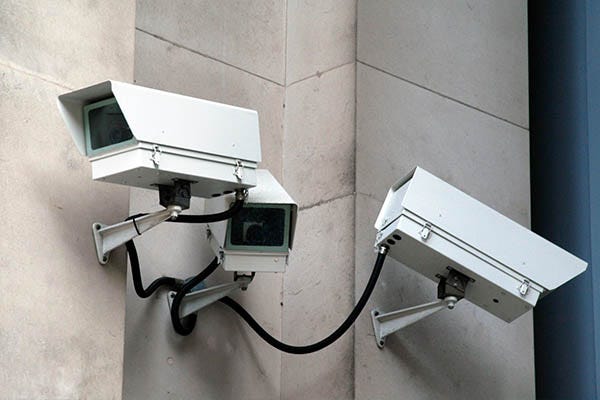
Do Home Security Cameras Delete Footage?
The retention of footage captured by home security cameras hinges on the individual settings and storage capacity of the camera system. Various cameras and systems present different options for managing recorded footage. Below are some common scenarios:
- Continuous Recording: Certain security cameras operate on a continuous recording basis, where they continually capture footage and overwrite the oldest recordings when storage capacity is reached. Unless a specific event prompts the footage to be saved or locked, the system will automatically delete older recordings to accommodate new ones.
- Motion-Activated Recording: Many modern security cameras come equipped with motion sensors and activate recording only upon detecting movement. Recorded clips may be stored for a specified duration, with older clips potentially being automatically purged to free up space for new recordings.
- Scheduled Recording: Some systems offer users the flexibility to establish specific schedules for recording. For instance, users can schedule the camera to record during particular hours or on specific days. The retention of recorded footage adheres to the system's predetermined settings.
- Manual Deletion: Users often have the option to manually delete recorded footage as desired. This action can typically be carried out via a mobile app or a web interface associated with the security camera system.
- Cloud Storage: Certain home security camera systems provide cloud storage alternatives. In this setup, recorded footage is stored on remote servers, and the duration for which it's retained is contingent upon the policies set by the service provider and the user's subscription plan.
Where Does Security Camera Footage Storage?
Security camera footage can be stored using various methods, contingent on the camera system type and its setup. Below are common storage options for security camera footage:
- Local Storage: Many security cameras are equipped with built-in storage solutions like microSD cards or onboard hard drives. This allows footage to be directly stored on the camera itself. The storage capacity varies depending on the camera model and the size of the storage device employed.
- Network Attached Storage (NAS): Certain security camera systems facilitate footage storage on a separate device, such as a Network Attached Storage (NAS) unit. NAS offers a centralized hub for storing and accessing data, enabling multiple cameras to save footage to the NAS.
- Digital Video Recorder (DVR): Analog surveillance cameras frequently utilize Digital Video Recorders (DVRs) for storage purposes. DVRs function as devices that record and retain video from multiple cameras. They typically integrate built-in hard drives with varying capacities to accommodate footage storage.
- Cloud Storage: Many contemporary security camera systems provide cloud storage alternatives. With this approach, footage is uploaded to remote servers via the internet. Cloud storage offers the benefit of remote access to footage from any location with an internet connection. However, it may necessitate a subscription fee based on the storage capacity and features offered by the service.
- Hybrid Systems: Some camera systems offer a hybrid storage approach, combining both local storage and cloud storage functionalities. This hybrid model offers redundancy and enables users to access footage locally and remotely as needed.
Factors to Affect Home CCTV Camera Storage Capacity
Several factors can impact the storage capacity requirements for home CCTV camera systems. Here are key considerations influencing the amount of storage needed:
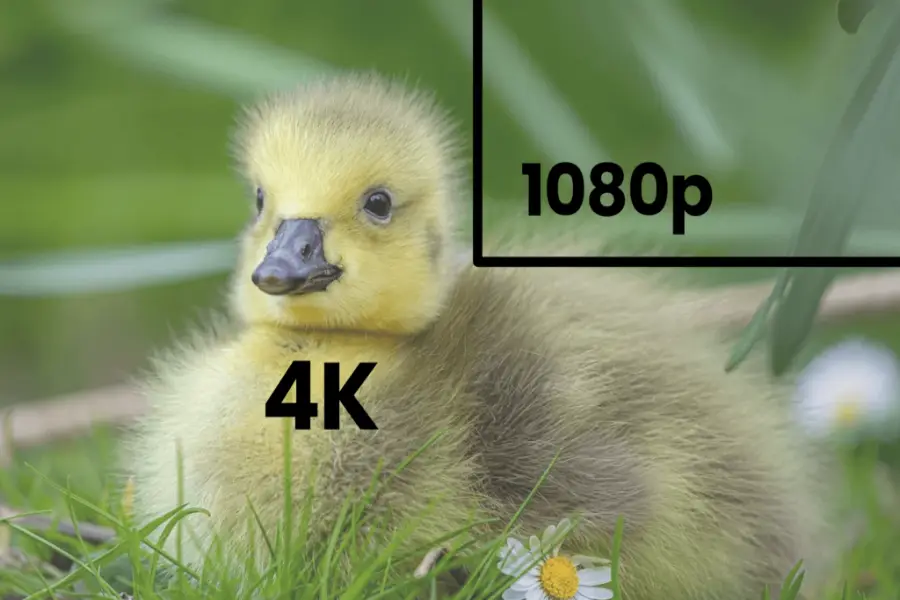
1. Resolution of Cameras: Higher resolution cameras produce clearer images but also generate larger file sizes. Cameras with higher resolutions (e.g., 1080p, 4K) consume more storage space compared to lower-resolution cameras.
2. Frame Rate: The frame rate at which cameras record video affects storage needs. Higher frame rates result in smoother video but require more storage space. Common frame rates include 15, 30, or 60 frames per second (fps).
3. Video Compression: The compression algorithm used to encode video footage impacts file sizes. Efficient compression methods can significantly reduce storage requirements without sacrificing video quality. Common standards include H.264 and H.265.
4. Video Encoding Settings: Settings related to video encoding, such as bit rate and compression levels, can impact file sizes. Higher bit rates generally mean better video quality but also larger file sizes.
5. Recording Mode: The chosen recording mode influences storage needs. Continuous recording consumes more storage compared to motion-activated recording. Some systems allow specific schedules for recording, further affecting storage requirements.
6. Number of Cameras: More cameras require more storage capacity to accommodate footage from each camera. Consider the coverage area and the number of cameras needed for effective surveillance.
7. Retention Period: The duration for which you want to retain recorded footage affects storage capacity. Longer retention periods require more storage space.
8. Local vs. Cloud Storage: Using local storage solutions like microSD cards, DVRs, or NAS requires considering available storage capacity. Cloud storage involves subscription plans with varying capacities and retention periods.
9. Compression and Storage Efficiency: Some CCTV systems feature storage efficiency enhancements, such as smart compression algorithms, which reduce the storage needed for a given amount of footage.
10.Video Analytics: Systems with video analytics for features like object detection or facial recognition generate additional data requiring storage.
How to Keep Security Cameras Footage Last Longer?
To extend the duration of camera footage retention, consider implementing the following strategies:
Scheduled Recording: Opt for scheduled recording over continuous recording to prevent storage overload with potentially irrelevant footage. By setting cameras to record only during specific times, you can eliminate unnecessary footage and significantly prolong storage life. For example, scheduling cameras to operate solely at night can effectively double your video storage duration.
Motion Detection Cameras: Utilize cameras equipped with motion detection capabilities to enhance accuracy and security. Modern cameras featuring line-crossing functions allow targeted monitoring of specific areas for movement and unauthorized entry. Fine-tune motion detection settings to focus on relevant events, minimizing storage consumption, particularly in high-motion areas.
Export Footage: Preserve camera footage indefinitely by exporting it to a computer or a separate hard drive, such as a thumb drive. Selectively export crucial events or footage for future reference, thereby conserving main storage space.
Video Compression: Implement video compression techniques like H.265 to reduce footage size and optimize storage efficiency. Compression utilizes codecs to eliminate unnecessary files and shrink existing ones without compromising video quality. This approach liberates space, enabling the storage of more footage on your server or SD card.
Adjust Recording Settings: If top-tier quality isn't essential for all footage, consider reducing recording resolution or frame rate. Lowering these settings can yield significant storage savings without compromising essential functionality, thereby extending the duration of footage retention.
Scheduled Recording: Opt for scheduled recording over continuous recording to prevent storage overload with potentially irrelevant footage. By setting cameras to record only during specific times, you can eliminate unnecessary footage and significantly prolong storage life. For example, scheduling cameras to operate solely at night can effectively double your video storage duration.
Motion Detection Cameras: Utilize cameras equipped with motion detection capabilities to enhance accuracy and security. Modern cameras featuring line-crossing functions allow targeted monitoring of specific areas for movement and unauthorized entry. Fine-tune motion detection settings to focus on relevant events, minimizing storage consumption, particularly in high-motion areas.
Export Footage: Preserve camera footage indefinitely by exporting it to a computer or a separate hard drive, such as a thumb drive. Selectively export crucial events or footage for future reference, thereby conserving main storage space.
Video Compression: Implement video compression techniques like H.265 to reduce footage size and optimize storage efficiency. Compression utilizes codecs to eliminate unnecessary files and shrink existing ones without compromising video quality. This approach liberates space, enabling the storage of more footage on your server or SD card.
Adjust Recording Settings: If top-tier quality isn't essential for all footage, consider reducing recording resolution or frame rate. Lowering these settings can yield significant storage savings without compromising essential functionality, thereby extending the duration of footage retention.
Conclusion
Determining the duration for which security cameras retain footage involves careful consideration of storage capabilities and the unique security requirements of the user. Achieving the optimal balance between compliance, efficiency, and privacy concerns is crucial to fully leveraging the potential of surveillance technology in protecting individuals and properties.
 Reasons to Avoid Purchasing Inexpensive Security Cameras
  How to Protect a Cctv Camera from Rain
  What's the Difference Between 4k and 1080p?
  Benefits of Surveillance Cameras in Public Places
  How to Prevent Camera Lens from Fogging at Night
  A Guide to Hiding Security Cameras
  A Complete Guide to PTZ Controller
  Best 10 Places to Put Security Cameras
  How to Power Wireless Cameras
  How to Choose the Best Security Camera Housing
  CCTV Camera Vs IP Camera: What's the Difference?
  The Top 10 CCTV Problems You Need to Fix
  Difference Between Thermal Imaging and Infrared
  How Does a Thermal Imaging Camera Work
  How Do Wireless Security Cameras Get Power
  A Guide to Reset PTZ Camera Settings
  How to Protect Outdoor Security Cameras like a Pro
  CCTV Meaning in Business Security
  What Are the Different Types of CCTV Camera Bracket?
  What Is the Difference Between Mainstream and Substream