





What Is the Difference Between Mainstream and Substream
2023-12-05
Have you ever wondered about the distinction between substream and mainstream? And why does monitoring seem to hit a roadblock? Additionally, how can one swiftly calculate the hard drive capacity for monitoring purposes? In this exploration, we will unravel the differences between substream and mainstream, drawing parallels to shed light on their unique characteristics. Simultaneously, we'll delve into the challenges associated with monitoring, offering practical insights into efficiently calculating the required hard drive capacity. Let's embark on this journey together as we dissect these topics and gain a comprehensive understanding.
Difinition: Mainstream Vs Substream
Mainstream:is the primary video feed. This is the stream that the DVR or NVR will use when saving footage to the internal hard disk drive (HDD), and it provides the highest quality of video. You can adjust the settings in a mainstream DVR or NVR to increase or decrease the recording resolution. These settings will affect the recording file size, as well as the amount of recording time available.
Substream:is the secondary video feed. In general, sub-streams provide a video stream that has a lower quality. They are typically used to stream video over the Internet to computers, smartphones, or tablets. By doing so, you are able to reduce the streaming quality for remote viewing while maintaining a high level of recording and storage on the mainstream HDDs.
Substream:is the secondary video feed. In general, sub-streams provide a video stream that has a lower quality. They are typically used to stream video over the Internet to computers, smartphones, or tablets. By doing so, you are able to reduce the streaming quality for remote viewing while maintaining a high level of recording and storage on the mainstream HDDs.
What Is Mainstream and Substream in CCTV?
In the context of CCTV (Closed-Circuit Television) and surveillance systems, "mainstream" and "substream" are terms used to describe different video streams with varying resolutions and qualities. These terms are often associated with IP cameras and video encoding settings. Let's explore the meanings of mainstream and substream in the CCTV context:
Mainstream:
- The mainstream stream in CCTV refers to the primary video stream that usually has higher resolution and image quality.
- Mainstream is the main video feed that is often used for live viewing or recording high-quality footage.
- It is the primary video stream used for critical monitoring purposes where clear and detailed images are essential.
Substream:
- The substream, on the other hand, is a secondary video stream that typically has lower resolution and quality compared to the mainstream.
- Substream is commonly used for secondary purposes such as remote viewing on mobile devices, where bandwidth or data limitations may be a concern.
- It allows for efficient use of network resources by providing a lower-quality stream for non-critical monitoring or remote access.
The Difference Between Substream and Mainstream
Hikvision pioneered the introduction of mainstream and substream concepts to address the challenge of optimizing video quality for both local and remote surveillance. The objective was to ensure seamless remote previewing without compromising the dual-stream technology essential for local recording in adverse network conditions.
Upon entry into the NVR, a video can be encoded into both main and substreams, where the mainstream boasts a higher resolution compared to the substream. Mainstream is primarily utilized for local recording, while the substream is designated for network transmission, forming the basis of the dual-stream technology.
Dual-stream technology serves the purpose of resolving quality issues related to both local storage and network transmission of surveillance videos. It achieves distinct bandwidth requirements for local and remote transmission. The mainstream facilitates clear storage video for local use, while the substream enables smooth remote transmission, ensuring optimal image quality and recordings despite bandwidth limitations.
The recorder automatically encodes both mainstream and substream upon video entry. Local access defaults to the recorder, displaying the mainstream automatically, while remote access triggers the automatic display of the substream. If encountering remote monitoring issues, adjusting the substream can alleviate the problem.
In essence, the mainstream exhibits larger size, higher definition, and higher bandwidth, primarily used for local storage. The substream, tailored for low-bandwidth networks, features a reduced image format, lower resolution, and smaller bandwidth, making it suitable for network transmission.
This approach aims to enhance network browsing smoothness without compromising local video quality when utilizing the substream for previewing in challenging network conditions, achieved by reducing the substream's bit rate.
Considering this theory, common questions arise: Why is the video monitoring image blurred using the substream? Why does the network camera lag with the mainstream but not with the substream? The answer lies in the mainstream's high pixel resolution mode compared to the substream's low pixel and low-resolution mode.
To address issues like screen lag, freezing, or poor connection:
Upon entry into the NVR, a video can be encoded into both main and substreams, where the mainstream boasts a higher resolution compared to the substream. Mainstream is primarily utilized for local recording, while the substream is designated for network transmission, forming the basis of the dual-stream technology.
Dual-stream technology serves the purpose of resolving quality issues related to both local storage and network transmission of surveillance videos. It achieves distinct bandwidth requirements for local and remote transmission. The mainstream facilitates clear storage video for local use, while the substream enables smooth remote transmission, ensuring optimal image quality and recordings despite bandwidth limitations.
The recorder automatically encodes both mainstream and substream upon video entry. Local access defaults to the recorder, displaying the mainstream automatically, while remote access triggers the automatic display of the substream. If encountering remote monitoring issues, adjusting the substream can alleviate the problem.
In essence, the mainstream exhibits larger size, higher definition, and higher bandwidth, primarily used for local storage. The substream, tailored for low-bandwidth networks, features a reduced image format, lower resolution, and smaller bandwidth, making it suitable for network transmission.
This approach aims to enhance network browsing smoothness without compromising local video quality when utilizing the substream for previewing in challenging network conditions, achieved by reducing the substream's bit rate.
Considering this theory, common questions arise: Why is the video monitoring image blurred using the substream? Why does the network camera lag with the mainstream but not with the substream? The answer lies in the mainstream's high pixel resolution mode compared to the substream's low pixel and low-resolution mode.
To address issues like screen lag, freezing, or poor connection:
- Opt for the substream with lower image quality to improve picture transmission smoothness.
- Adjust frame rate and resolution settings to lower bandwidth requirements.
- Enhance network bandwidth to meet high-quality transmission needs.
How to Quickly Calculate the Daily Storage Capacity of the Camera?
Since mainstream and substream are different, how can we calculate the daily storage capacity of a camera? We will draw a summary and propose an easy method.
The camera code stream or the bandwidth of the monitoring video stream is divided into mainstream and substream. As a result, the video shown during playback is of higher quality than that seen during preview, because the mainstream is used for storage and the substream is usually used for preview. The bit rate also varies based on resolution, frame rate, and picture effects.
Different coding and compression algorithms produce different H.264 and H.265 bitstreams. H.265 provides better transmission efficiency and storage efficiency compared to H.264, but requires a greater amount of bandwidth.
Since mainstream and substream are different, how can we calculate the daily storage capacity of a camera? We will draw a summary and propose an easy method.
The camera code stream or the bandwidth of the monitoring video stream is divided into mainstream and substream. As a result, the video shown during playback is of higher quality than that seen during preview, because the mainstream is used for storage and the substream is usually used for preview. The bit rate also varies based on resolution, frame rate, and picture effects.
Different coding and compression algorithms produce different H.264 and H.265 bitstreams. H.265 provides better transmission efficiency and storage efficiency compared to H.264, but requires a greater amount of bandwidth.
The camera code stream or the bandwidth of the monitoring video stream is divided into mainstream and substream. As a result, the video shown during playback is of higher quality than that seen during preview, because the mainstream is used for storage and the substream is usually used for preview. The bit rate also varies based on resolution, frame rate, and picture effects.
Different coding and compression algorithms produce different H.264 and H.265 bitstreams. H.265 provides better transmission efficiency and storage efficiency compared to H.264, but requires a greater amount of bandwidth.
Since mainstream and substream are different, how can we calculate the daily storage capacity of a camera? We will draw a summary and propose an easy method.
The camera code stream or the bandwidth of the monitoring video stream is divided into mainstream and substream. As a result, the video shown during playback is of higher quality than that seen during preview, because the mainstream is used for storage and the substream is usually used for preview. The bit rate also varies based on resolution, frame rate, and picture effects.
Different coding and compression algorithms produce different H.264 and H.265 bitstreams. H.265 provides better transmission efficiency and storage efficiency compared to H.264, but requires a greater amount of bandwidth.
1. Hard disk capacity
Hard disk capacity refers to the storage space of the hard disk. In general, there are 1T/2T/3T/4T/6T, 1T=1024G, 1G=1024M. It should be noted that the actual capacity of the hard disk for video storage is 90% of the total capacity with a capacity factor of 0.9. Why?
This is because the standard of hard disk manufacturers is decimal with 1G=1000MB=1000000K while the system uses binary with 1G=1024MB=1048576KB.
2. Calculation method
Video storage size = Mainstream (M) ÷ 8 × 3600 (seconds) × 24 (hours) × number of monitoring channels × number of recording days
Assuming that the HD header of a project is 1080P in H.265 format (the mainstream is about 3M), 50 channels, and stored for 90 days, the calculation formula is as follows:
3M (mainstream) ÷ 8 × 3600 (seconds) × 24 (hours) × 50 (monitoring channels) × 90 (recording days) ≈ 145800000MB
Converted to T: 145800000MB÷1024÷1024≈139T. If the actual capacity of the hard disk is 90%, it is 139T÷0.9=154.4T, which means you need a total of 154T hard disk to meet the storage requirements, and you can prepare 160T.
Remarks:
Mainstream ÷ 8, the monitoring code stream is measured in bits.
There are various calculators for direct calculation now. However, it is better to be able to quickly estimate in daily projects.
(1) 960P refers to the resolution of 1280×960, which is equivalent to 1.3 million pixels:
H.265 storage is about 22G per day (1G per hour).
(2) 1080p refers to the resolution of 1920 × 1080 pixels, which is equivalent to 2 million pixels:
H.265 storage is about 32G per day (1.3G per hour).
(3) 3mp refers to a resolution of 2048*1536 pixels, which is equivalent to 3 million pixels:
H.265 storage is about 45G per day (1.9G per hour).
4mp, 5mp, and 8mp correspond to 4 million, 5 million, and 8 million pixels.
 Reasons to Avoid Purchasing Inexpensive Security Cameras
  How to Protect a Cctv Camera from Rain
  What's the Difference Between 4k and 1080p?
  Benefits of Surveillance Cameras in Public Places
  How to Prevent Camera Lens from Fogging at Night
  How Long Do Security Cameras Keep Footage?
  A Guide to Hiding Security Cameras
  A Complete Guide to PTZ Controller
  Best 10 Places to Put Security Cameras
  How to Power Wireless Cameras
  How to Choose the Best Security Camera Housing
  CCTV Camera Vs IP Camera: What's the Difference?
  The Top 10 CCTV Problems You Need to Fix
 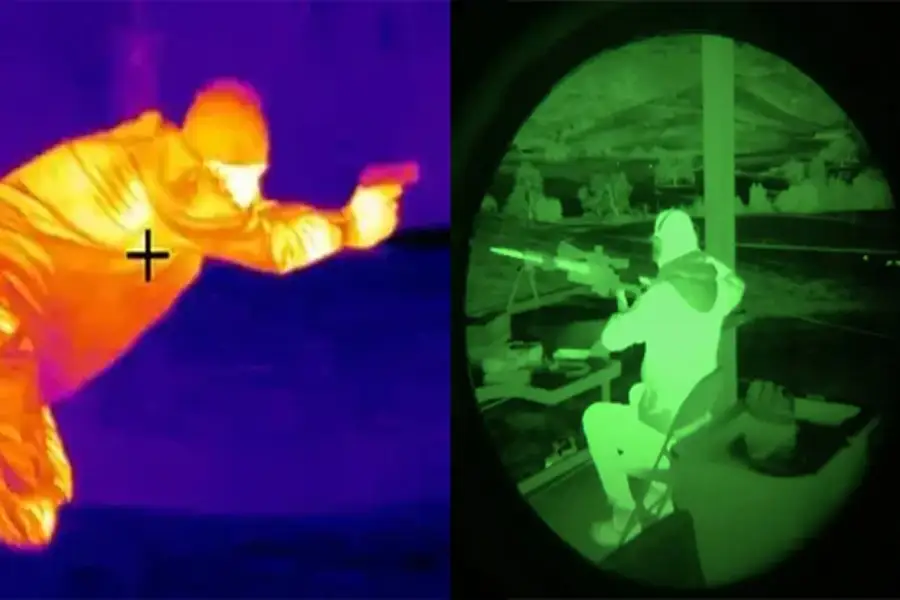 Difference Between Thermal Imaging and Infrared
  How Does a Thermal Imaging Camera Work
  How Do Wireless Security Cameras Get Power
  A Guide to Reset PTZ Camera Settings
  How to Protect Outdoor Security Cameras like a Pro
  CCTV Meaning in Business Security
  What Are the Different Types of CCTV Camera Bracket?